Session NotesMeeting notes on your Mac, without a botLearn more

Hold a key and talk.Your Mac writes it down.

The text shows up where you were about to type. Clean Up takes out the filler words and keeps your wording. Both run on your Mac. I built it because I think faster than I type.

Dictation and Clean Up are free. No account.

Requires macOS 26+ and Apple Silicon (M1 or later)

Mac App Store version: it copies the text, you press ⌘V.

  1. Hold the key.

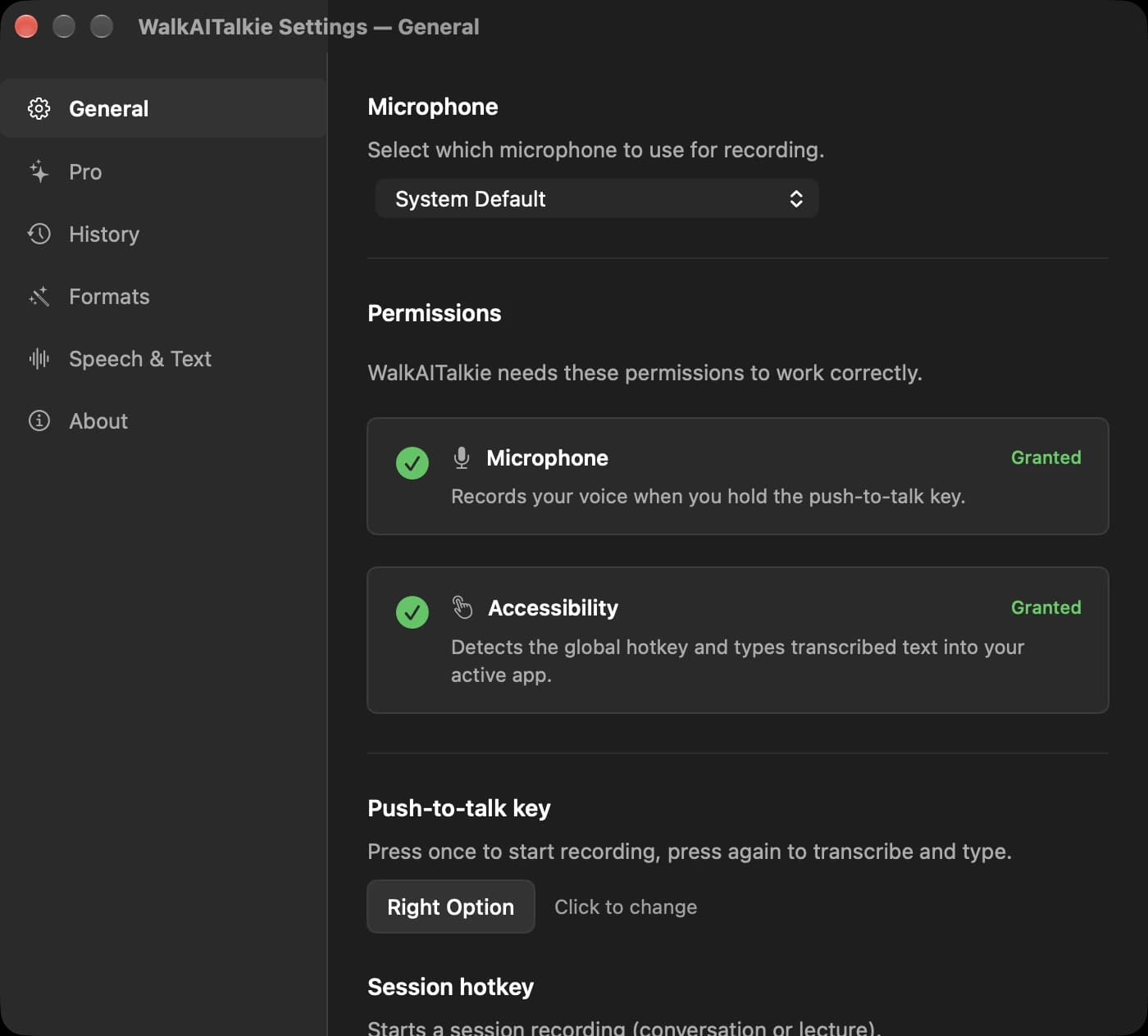
    Right Option in the direct download. You can pick another key, or press once to start and once to stop.

  2. Talk normally.

    Filler words included. Speech recognition runs on your Mac, offline too once the model is downloaded.

  3. Let go and read it.

    The direct download can paste the text at your cursor. The Mac App Store version copies it for ⌘V.

Illustrative cleanup example. Same meaning, even the “I think”. Read it before you send it.

Say it once. Pick what comes out.

You always get the plain transcript first. Then you decide how much help it gets. Six formats are built in.

You said

um could you send the deck before friday and tell marc i think the budget was approved but please double check

You get · Clean Up

Could you send the deck before Friday? Tell Marc I think the budget was approved, but please double-check.

An illustrative example, not a live result. Read generated text before you use it.

Create your own format

Illustration: people talk at a table, a Mac listens, and the conversation turns into a note card.
Illustration, AI-generated.
Pro

Meeting notes on your Mac, without a bot

Record a conversation, a talk or a lecture through your microphone. You get the transcript plus structured notes. Microphone only: Zoom and Teams audio is not captured. Check decisions and action items.

Learn more
Inside WalkAITalkie

For the things you were about to type.

  • The prompt you keep rewriting

    Talk through the bug or the next prompt while it is still clear in your head. With Pro, your own dictionary spells project names right.

  • The reply between two tasks

    Dictate the answer right where you are. No extra window, no new document. Read it once, then send.

  • The mail in someone else's language

    Think in German, send in English. Pro translates the finished transcript into one of 38 languages.

38 dictation languages. One app.

Parakeet handles 25 European languages fast; Whisper covers the other 13. The app picks the engine for your language.

Parakeet · 25

  • English
  • German
  • French
  • Spanish
  • Italian
  • Portuguese
  • Dutch
  • Polish
  • Ukrainian
  • Czech
  • Slovak
  • Slovenian
  • Croatian
  • Bulgarian
  • Romanian
  • Hungarian
  • Greek
  • Danish
  • Swedish
  • Norwegian
  • Finnish
  • Estonian
  • Latvian
  • Lithuanian
  • Russian

Whisper · 13

  • Chinese
  • Japanese
  • Korean
  • Hindi
  • Arabic
  • Turkish
  • Indonesian
  • Thai
  • Vietnamese
  • Hebrew
  • Persian
  • Malay
  • Urdu

This is the full list of dictation languages, not an accuracy rating. Results vary with the model, the language and the recording. Pro translates into 38 target languages.

Start free. Add what you actually use.

These plans describe the direct download. Dictation, Raw, Clean Up and the history stay free. Pro is one payment of $7.99 and unlocks the rest.

Free

$0

No time limit

  • Unlimited dictation on your Mac
  • Raw and Clean Up
  • History, up to 200 entries, with CSV and JSON export
  • No account, no sign-up
Download Free

Pro

ONE-TIME

$7.99

once

  • All six formats, plus formats you build yourself
  • Translation into 38 target languages
  • Session notes from microphone recordings
  • Custom dictionary
Get Pro for $7.99

Customers in the EU/EEA keep their 14-day right of withdrawal.

Checkout charges by country: €7.99, $7.99, CHF 7.99, or £6.99. Tax included.

How buying works

  1. 1Pay once. No account, no subscription.
  2. 2Your licence key arrives by e-mail, usually within a minute.
  3. 3Paste it into the app under Settings → Pro.

Direct download: text can be pasted into the active field. A Pro purchase sends a licence key by email. Updates arrive through the app.

Command line: brew tap kanevry/walkaitalkie && brew install --cask walkaitalkie

Also on the Mac App Store

The Mac App Store app copies text to your clipboard; press ⌘V to paste. Store versions, features and purchases may differ from the direct download. Check the listing for the current version and pricing.

Illustration: a Mac as a closed box. Your words stay inside, and the one door is shut until you open it.
Illustration, AI-generated.

Local is the starting point.

In local mode, speech recognition and text processing happen on your Mac after the model download. No audio and no transcript goes to a model provider, and once the models are on disk it works offline.

  • Works offline after the model download
  • Audio never leaves your Mac
  • No account
  • Cloud only if you switch it on

The one exception

Faster session notes, if you already use Codex or Claude Code.

Text only, never audio. The CLI gets the finished transcript, or your description when you create a custom format. Your dictated text only goes there if you switch that on separately.

Part of Pro, in the direct download only. The usage runs on your own ChatGPT or Claude plan, not on mine. The Mac App Store version does not contain it.

Privacy Policy

A few useful details.

What is WalkAITalkie?
WalkAITalkie is a menu bar dictation app for Apple Silicon Macs running macOS 26 or later. Record with a shortcut, transcribe locally and choose optional cleanup. The direct app can paste into the active field; the App Store app uses the clipboard.
Is my data private?
Local speech recognition and cleanup stay on your Mac. If you turn on the optional cloud accelerator (direct download, Pro), the finished transcript is handed to the Codex or Claude Code CLI you are signed in to, after you confirm it once. Buying or activating Pro uses payment and licensing services. The website uses cookieless traffic measurement; see the privacy policy for details.
What is the cloud accelerator, and what does it send?
An optional shortcut for session notes in the direct download, part of Pro. If you are signed in to the Codex CLI or the Claude Code CLI, WalkAITalkie can hand it the finished transcript. The summary then comes back much faster than on your Mac. Text only, never audio. Your dictated text only goes there if you switch that on separately. It runs under your own ChatGPT or Claude account and against your own quota. It stays off until you choose a provider and confirm once. Without it, the summary is still written on your Mac. The Mac App Store version does not contain it.
What's the difference between Free and Pro?
In the direct download, Free includes unlimited local dictation, Raw and Clean Up, your transcript history and auto-stop on silence. Pro is a one-time purchase for the other formats, translation, session notes from microphone recordings and a custom dictionary. App Store versions and purchases may differ.
Can I use it without internet?
Local dictation and cleanup work offline after the speech and language models have been downloaded. Storage needs depend on the models you choose. Downloads, purchases, updates and the optional cloud accelerator need a connection.
What languages are supported?
38 dictation languages. Choose your speech language before recording. In automatic mode, German uses Parakeet and Japanese uses Whisper. The app does not switch engines within a recording; Whisper can also be selected manually. Pro translates into 38 target languages. Results depend on the language, model and recording.
How does the translation work?
With Pro, choose a target language and record your text. Speech is transcribed first, then translated by the selected model. Local processing is the default. Review the translation before using it.
Does it record online meetings?
It records your microphone, not system audio. With Pro you can turn an on-site conversation into a transcript and session notes. It does not capture the remote participants from Zoom or Teams as a system-audio recorder would. Review the result for omissions and mistakes.
How does buying Pro work?
For the direct app, buy Pro once and activate the licence key sent by email. There is no direct subscription. App Store purchases are managed by Apple and may differ by release. See the purchase terms or contact office@gotzendorfer.at for help.

Support

Your next thought is worth keeping.

Try local dictation and Clean Up. They are free and stay free. If it fits how you work, Pro is $7.99, once.

Download for Mac

Made by Bernhard Götzendorfer in Austria